How to Add Twitch, YouTube, and Kick Notifications to Discord
Seven sources are tracked: YouTube, Twitch, Kick, Reddit, Bluesky, RSS, and podcasts. Setup steps, preventing duplicate stream alerts, and avoiding notification fatigue.
This article was translated automatically from the Turkish original. Read the Turkish original
In this article
In short
VeyroBot tracks seven sources: YouTube, Twitch, Kick, Reddit, Bluesky, RSS, and podcasts. For each tracker, you choose three things: the source account name, the Discord channel where the announcement will go, and optionally a role to tag. When a new stream, video, or post goes live, the bot sends the announcement itself.
Twitch and Kick streams are checked every minute. YouTube trackers are checked every 5 to 10 minutes depending on the number of active YouTube trackers, while Reddit is scanned every 10 minutes due to the platform's rate limits.
Setup: via dashboard or command
- From the dashboard: Dashboard → your server → Stream & Content Alerts, and open the relevant platform tab (e.g., Twitch Alerts).
- Enter the source. Account/channel name for Twitch, Kick, YouTube, and Bluesky; feed URL for RSS and podcasts; subreddit or username for Reddit.
- Select the Discord channel. The text channel where the announcement will land.
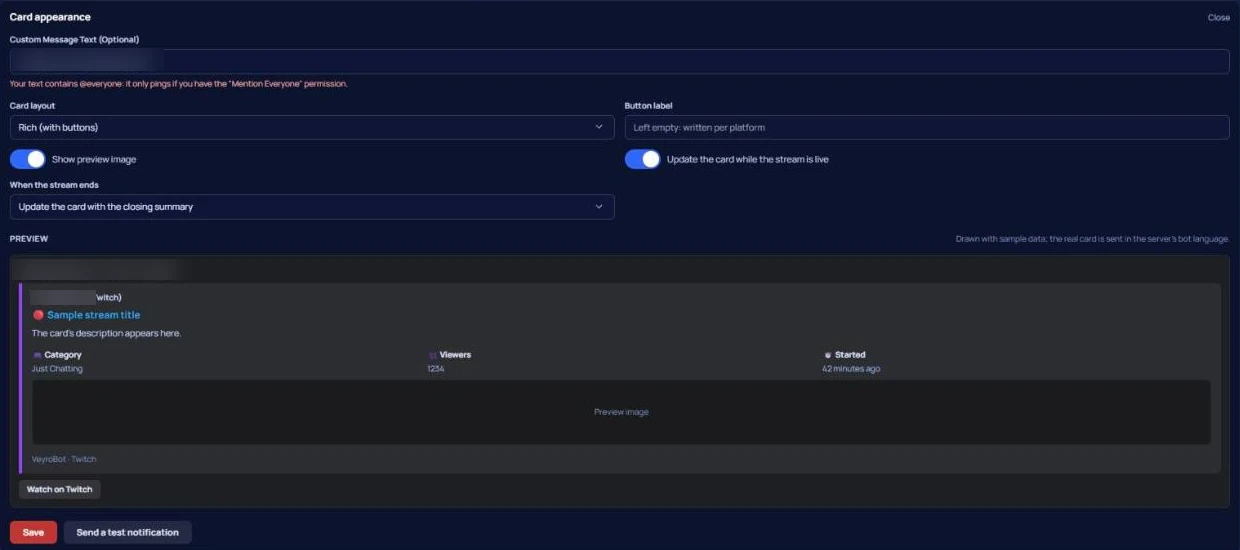
- Add role tags and custom messages if desired. If the custom message is left blank, the bot sends its own default announcement.
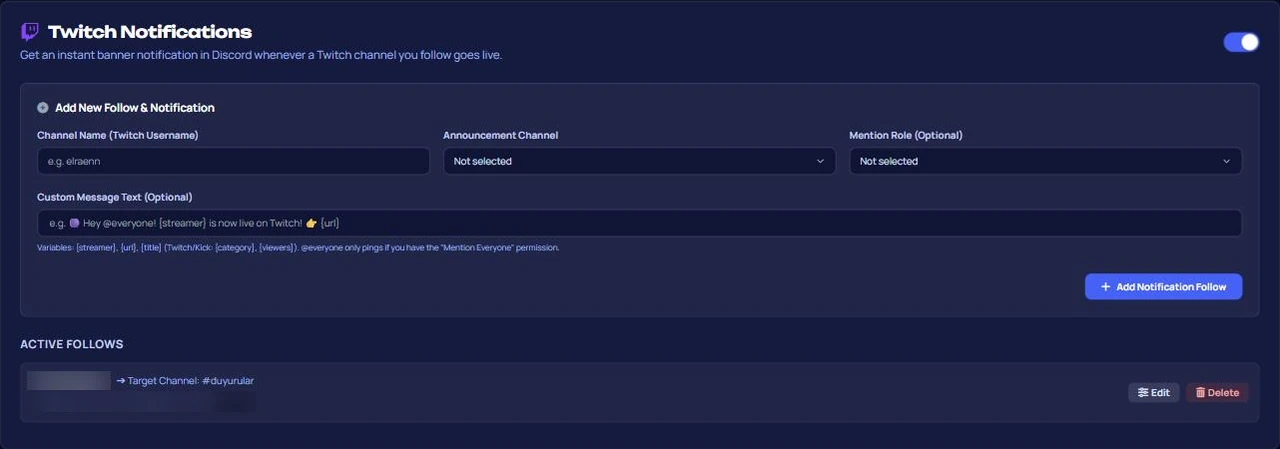
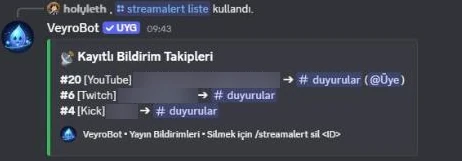
You can also do the same using commands: /streamalert add, /streamalert list, and /streamalert remove.
Adult content: On Bluesky, posts labeled as adult content and RSS items marked as adult by the publisher are only sent to age-restricted channels on Discord; they are skipped in other channels and appear in the errors section of the Server Health card. A Bluesky account tagged with adult content cannot be added to a non-age-restricted channel.
This topic in VeyroBot:Discord Twitch Live Notifications →
No duplicate announcements
For each tracker, the bot stores the ID of the last announced content and whether the stream is live. No duplicate announcements are sent while a stream is ongoing; a new announcement is sent when the stream ends and restarts. Video and post-based sources also retain the IDs of recent shares, so the same content never drops twice.
Watch out for notification fatigue
Defining dozens of trackers in a single server renders the announcement channel unusable. Two simple rules work: use role tags only for genuinely anticipated streams, and route low-volume sources (like an RSS feed that rarely posts) to a separate channel instead of the general announcement channel.
If announcements do not arrive or wear members out
1. Typo in the channel name. You need the platform username, not the display name.
2. Choosing a channel where the bot lacks write permissions. Announcements won't go through silently; check your channel permissions.
3. Tagging everyone. Tagging @everyone on every stream drives members to turn off notifications; instead, set up a voluntary "stream alert" role.
Can you expect an announcement within seconds?
For: regular streamers, teams producing content across multiple platforms, and servers wanting to centralize community announcements in a single channel.
Not for: use cases expecting instantaneous, second-exact announcements the moment a stream starts. Checks run every minute for Twitch and Kick, and every 5–10 minutes for YouTube; announcements may be delayed by that duration.
Frequently asked questions
How many trackers can I define?
Multiple accounts can be tracked per platform. You can find current limits and platform plan availability on the Premium page.
Can I change the announcement message?
Yes, you can write a custom message for each tracker. If you leave it blank, the bot's default announcement is used.
Why does Reddit announce slower?
Reddit enforces rate limits on frequent requests. To avoid getting blocked, those sources are checked every 10 minutes; the cooldown automatically extends if errors occur.
Stream alert didn't arrive, where should I look first?
Check in this order: whether the source name is spelled correctly, whether the bot has permission to write in your chosen channel, and whether the module is enabled on the dashboard. If an announcement fails to send to a channel, it will show up under the "Errors in the last 72 hours" section of the Server Health card.
What happens if I add the same channel twice?
Two entries for the same source mean two announcements. View the list with /streamalert list and remove duplicates with /streamalert remove.
Last updated: September 26, 2026. The platform list and check intervals reflect VeyroBot's behavior as of that date. If channel permissions are causing issues, check the permission errors guide.
You can check the command list for all available commands.
For these topics in VeyroBot
Discord Twitch Live Notifications
When a Twitch streamer goes live, a notification with title, category, viewer count and preview lands in your Discord channel. Each stream is posted once.
Discord YouTube Notifications
When a YouTube channel you follow uploads a new video, a notification with title, thumbnail and link lands in your Discord channel. Checked every 5–10 minutes.
Discord Bluesky Notifications
When a Bluesky account you follow posts something new, a notification with the post text and profile link lands in your Discord channel. Checked every minute.