How to Set Up Discord Sticky Messages?
Learn how to set up a sticky message that stays at the bottom of a channel, character limits, rate limits, and how removal works.
This article was translated automatically from the Turkish original. Read the Turkish original
In this article
Short answer
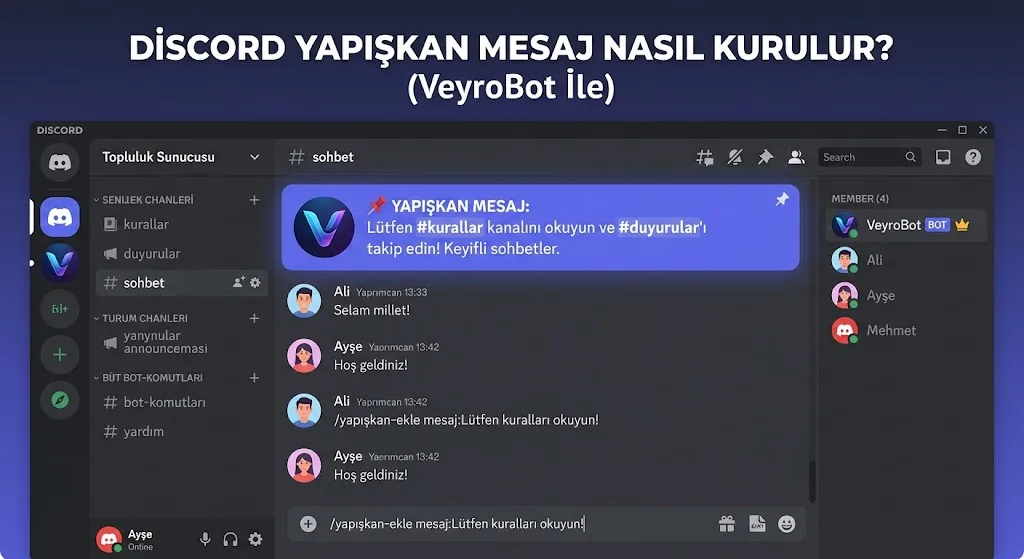
A sticky message is a feature where the bot deletes the old sticky message and resends the SAME text at the bottom every time a new message is sent in a channel; this way, important messages like rules, announcements, or server links remain visible at the very bottom even as the chat flows. In VeyroBot, it can be set up via the dashboard or the /sticky set <channel> <message> command, removed with /sticky remove <channel>, and viewed with /sticky list.
This is different from a scheduled message that resends content at SPECIFIC INTERVALS — a sticky message provides continuous visibility rather than repetition.
Before you set it up
- The module switch must be on. The Sticky Messages module is enabled by default; if turned off, existing records are not deleted, but they will no longer be resent.
- The target must be a text or announcement channel. Voice channels and forum channels are not supported.
- The bot must have permission to send AND delete messages in the channel. If it lacks deletion permissions, the bot cannot drop the old message and send a new one; sticky messages may pile up as multiple copies in the channel.
- A maximum of 25 sticky messages per server can be set up. This is not a plan quota, but a general upper limit to prevent abuse.
Setup
- Type the /sticky set command, and select the text/announcement channel where the message will stick in the channel option.
- Type the text you want to send in the message field — up to 1500 characters.
- Send the command. The bot will immediately post the sticky message in that channel; whenever a new message is sent in the channel, it will delete the old one and keep moving the same text to the bottom.
How does rate limiting work?
A sticky message is not resent on EVERY single message sent by users in the channel — this would both push Discord's rate limits and needlessly clutter the chat. VeyroBot resends it no sooner than 4 seconds after the last message and leaves at least 10 seconds between resends; in a busy channel, this means the message appears "almost always at the bottom, but not on every single message."
Removal and list
- /sticky remove <channel> — ACTUALLY deletes the sticky message in that channel; the last copy sent by the bot in the channel is also removed, and tracking stops completely.
- /sticky list — lists all sticky messages in the server, showing which channel they are in and the first 80 characters of their text.
Common mistakes
- Setting it up without bot deletion permissions. The message gets sent, but the old copy might linger in the channel; check your Manage Messages permission in the channel.
- Trying to write text exceeding 1500 characters. The command will return an error in this case; summarize long rules and move details to another channel/link.
- Sticking multiple important messages at the same time. There can only be one sticky message per channel; a second
/sticky setwill replace the previous one.
For rule text to write in your channel, check out the how to write Discord server rules guide, and for announcements repeating at specific times, refer to the how to set up Discord scheduled messages guide.
Who is it for, who is it not for?
Suitable for: administrators who want rules, server links, or frequently asked answers to always appear at the very bottom of the channel.
Not suitable for: those who want a message to be RESENT at a specific time or at regular intervals — in this case, the right tool is a scheduled message or reminder, not a sticky message.
A summary of the feature is available on the Discord Sticky Message Bot page; field details are in the Sticky Messages section of the documentation.
Frequently asked questions
Can I send the sticky message as an embed?
No, sticky messages only work as plain text. If you want to send a rich embed card, the Message Builder or scheduled message embed option is more suitable.
What happens to the sticky message if I delete the channel?
The record is not automatically deleted, but nothing happens since there is no longer a channel to send it to; it is recommended to clean up the record using /sticky remove.
Can I edit a sticky message?
There is no direct edit feature; simply run /sticky set again in the same channel and enter the new text, which will replace the previous one.
Last updated: September 22, 2026. Character limits, rate limiting, and removal behavior in this article have been verified against VeyroBot's current sticky message engine.