

Skip to content
New: Server Health report

Stop stacking bots.
Manage your server from one control center.

Music, moderation, leveling, tickets, creator alerts and a server health report — in one bot, configured from one web dashboard, in 7 languages.

< 30 sfirst health report

Veyro, VeyroBot's shape-shifting mascot
veyrobot.xyz/dashboard
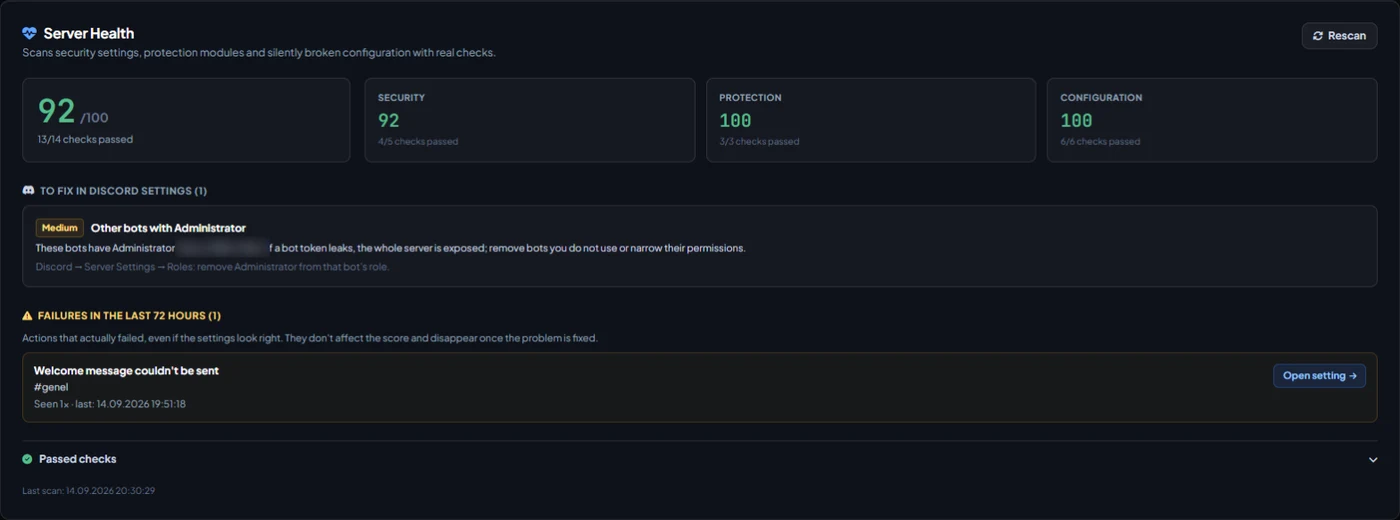
VeyroBot dashboard Overview tab showing the Server Health Score card and real failure history
The dashboard Overview tab: Server Health Score, sub-scores, Discord settings to fix and failures that actually happened in the last 72 hours. A real screenshot from our test server; other bots' names are hidden.

Adding the bot is free; the Premium page lists which features are on which plan. See which module is on which plan in the matrix →

The problem

Why does one server need six bots?

One bot for music, one for moderation, and one more each for leveling, tickets, stream alerts and welcomes. Each with its own dashboard, its own settings and its own permissions.

Six dashboards, six setups

To change a setting you first have to remember which bot owns it. When two bots start doing the same job, members get two welcome messages.

Overlapping permissions

Every bot asks for broad permissions, and every extra privileged bot adds risk. In one real scan, a single server had 5 different bots holding Administrator.

Failures nobody notices

A welcome message pointing to a deleted channel, an auto-role the bot can't assign, a captcha that does nothing. No error appears; it just doesn't work.

Jobs VeyroBot handles on its own

Music Moderation and AutoMod Leveling Tickets Stream alerts Welcome cards

The solution

All in one bot, from one dashboard.

Every module is managed from the same web dashboard. Switch off what you don't use; a disabled module takes no action in your server.

Server Health: a dashboard that actually scans your server

The moment VeyroBot joins your server it checks security settings, protection modules and silently broken configuration with real checks. Every lost point comes with its reason; no AI guesses, no made-up score.

  • The first report is sent privately to whoever set it up; findings are never shared in the server.
  • Fixes some Discord settings in one click with your approval; every fix can be undone within 24 hours.
  • Catches silent failures like a setting tied to a deleted channel, an auto-role the bot can't assign or a captcha that does nothing.
69/100
Veyro thinking: some settings can be improved
From a real scan · server name hidden
Security84
Protection100
Configuration85
HighCaptcha verification gate
Open setting
MediumVerification level
Apply
Medium2FA requirement for moderation
Protection

01

Protects your server from being taken over

Text channels lock automatically during a sudden mass join and new members verify with a captcha. A staff member who deletes many channels or roles in a short time loses their dangerous roles, an alert with evidence goes to your log channel, and you rebuild what was deleted with one click in the dashboard.

Raid protection activated
Example
17 joins in 10 s
9 unverified
4 channels locked
Staff Dangerous roles removed
Restore from dashboard

An evidence-backed alert was sent to the log channel.

AutoMod

02

You set the rules, the bot enforces them

Turn on filters for invite links, advertising, spam, excessive caps and mass mentions; you choose the action taken for each violation. Every punishment, including warnings issued by hand, lands in one shared case history and is written to the log channels you pick.

AutoMod violation
Example
Member Invite link
Message deleted · 10 min timeout
3rd warning → tier penalty

Written to the log channel you chose.

Community

03

Everything that keeps members around, in one dashboard

XP per message, rank cards and welcome banners you customize in the dashboard, menus where members pick their own roles, achievements, birthday celebrations, a highlights channel and suggestion voting. Support requests open as private channels from a button, and the transcript is archived when they close.

The small VeyroBot signature in the corner of the cards can be removed depending on your plan; details on the Premium page.

Example
Rank card example: Nova, level 12, server rank 3
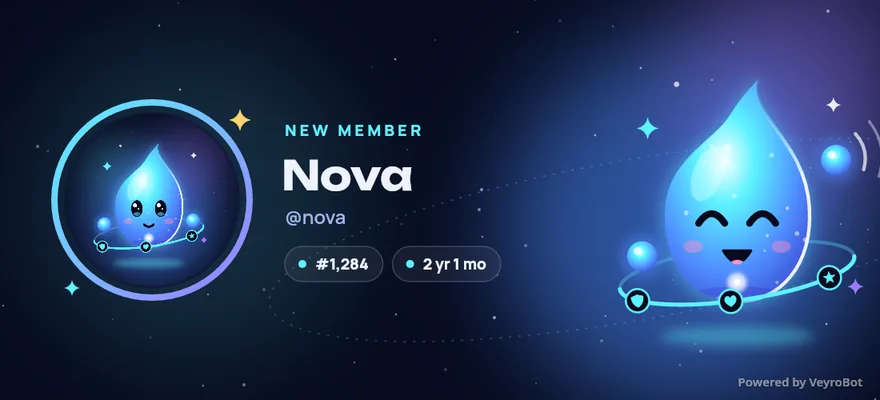
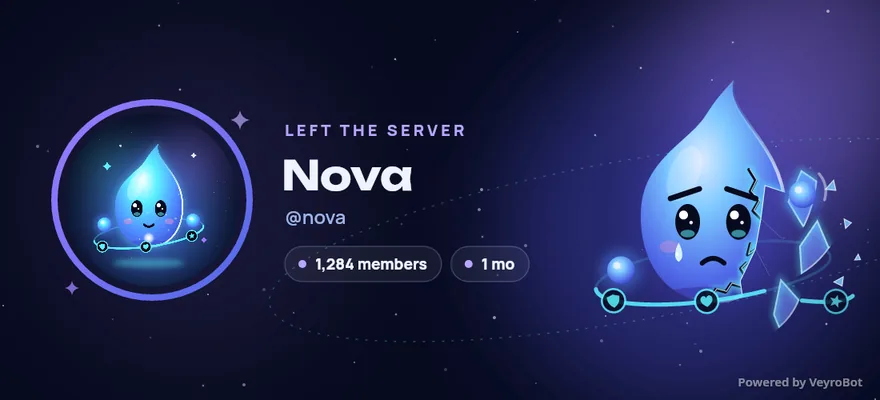
Welcome card example: Nova joined the server, member #1,284 Leave card example: Nova left the server

The bot posts these cards to Discord as images. Generated with sample data.

Voice & music

04

Let your voice channels run themselves

Music from YouTube and Spotify with four audio filters, and a queue you manage from buttons in Discord or from the web dashboard. When a member joins the "create room" channel they get their own room; locking, hiding, user limits and renaming happen from the panel posted inside it, and the room is deleted once the last person leaves.

Now playing
Example
1:323:41
YouTube · Spotify 7 tracks in queue

Manage the queue from the dashboard or Discord buttons.

Automation & AI

05

Hand the repetitive work to the bot

Stream and video alerts, announcements sent at set intervals or when the server gets busy, repeating reminders, which invite each member came from, and live channels that show your member count. The Google Gemini-powered assistant answers with a persona you define for your server.

Powered by Gemini
Example
Can you summarize the server rules?
Be respectful, no ads, no spam. Full text is in the rules channel.

The assistant replies with a persona you define.

See all features Changelog

Quick Start

Ready in 3 steps.

1

Add to Server

Add the bot to your selected server with one click via Discord authorization. 30 seconds.

2

Get your report

VeyroBot scans your server and sends the score and the top findings to your DMs. Findings are never posted in a channel.

3

Fix and manage

Sign in to the dashboard with Discord. Fix some findings in one click after you confirm, and turn on the modules you need.

Transparency

VeyroBot in numbers.

No inflated badges or made-up user counts. Every number below comes from the bot's own live endpoints, and you can check the same addresses yourself.

76

slash commands

35

toggleable modules

7

interface languages

4/4

services operational

Check live system status

Command, module and service counts are read live on every page load.

What VeyroBot is not

It does not run the server for you. You choose the thresholds, filters and penalties; no decision is hard-coded.

It is not a backup tool. Staff Protection stops a compromised account and rebuilds deleted channels and roles, but deleted messages don't come back; it cannot act on the server owner or on roles above the bot's role.

There is no economy or currency system. If you need a bot for one single job, a lean bot that does only that may stay simpler for you.

Knowledge Base

Frequently Asked Questions

Click 'Add to Server' on the homepage, select a server where you have administrative permissions on the Discord OAuth2 screen, and authorize the bot in seconds.

All settings are written to the database instantly and synced to the bot in-memory cache in real-time. No restart required.

Adding the bot is free. The Premium page always shows the current list of features included in the Premium plan.

With Staff Protection turned on, a staff member who deletes more channels or roles than your limit in the time you set, mass-bans or adds bots loses their roles with dangerous permissions, and an alert with evidence goes to your mod-log channel. Deleted channels and roles can be rebuilt from the dashboard with their permissions and category; if it was a false alarm, the roles are given back with one click. The bot cannot act on the server owner or on members whose role is above the bot's role.

See all questions

Add it and get your health report within 30 seconds.

Free. The report arrives by DM; set things up in the web dashboard with the setup wizard or one by one.